Blog ·
Everything new in the October nightlies
October was the biggest month Hexbot has had. If your nightly has been updating itself, most of this is already on your computer. Here is what changed, in the order you are likely to notice it.
We’ll use the same made-up ceramics studio as last month’s post: Maya, who sells mugs and vases at two markets and online, and her bots Scout, Ledger, and Juniper.
HexBot looks after the rest
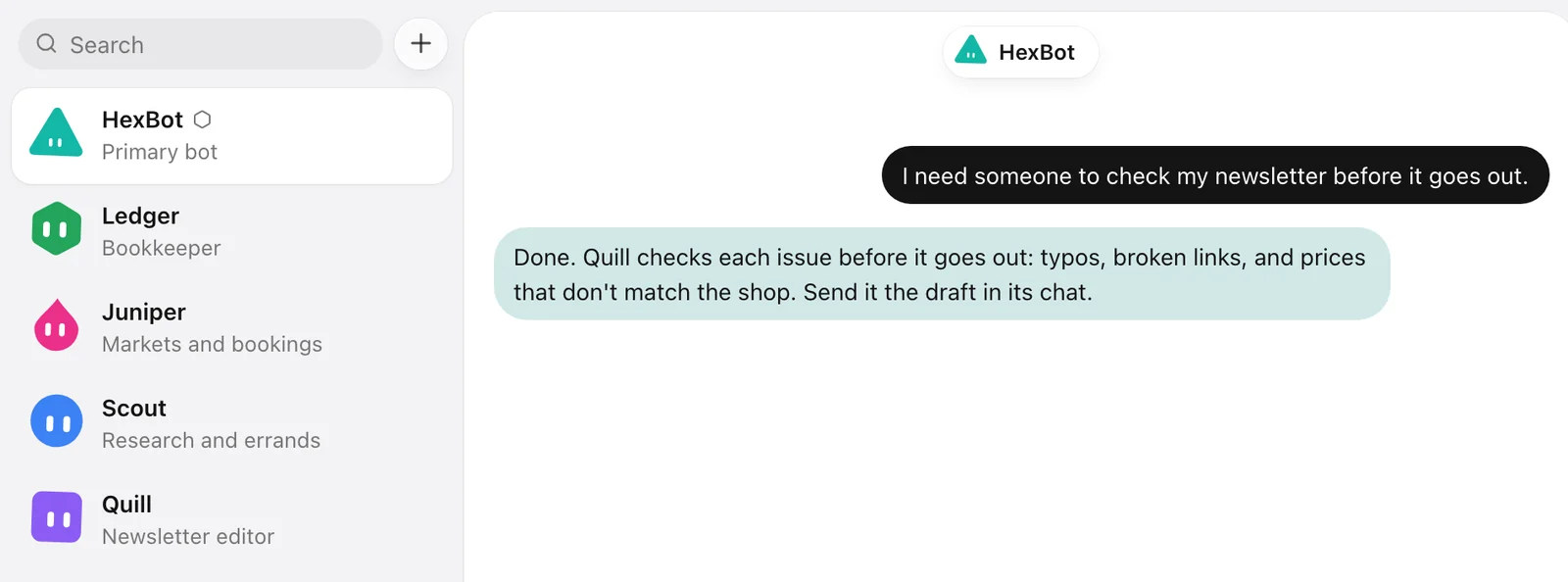
Setup now ends in a chat with HexBot, your primary bot. It is the one bot that manages the others. Tell it “I need someone to check my newsletter before it goes out” and it makes a writer for the job, with a face, a soul, and a working folder. It can also put bots in rooms, change who is in them, schedule jobs for any bot, and change settings, skills, and connectors.
It always asks before it deletes a bot, room, or job, changes an approval mode or a working folder, changes a setting, or turns a skill or connector on or off. That holds even in Bypass. It never sees your API keys or connector credentials. You can rename it and give it a different face, but you can’t delete it.
If you used Hexbot before HexBot existed, the bot list offers to add it, or to make one of your bots primary instead. The primary bot has the details.
Every bot has a heartbeat
Most assistants wait for you to ask. A heartbeat doesn’t. Every 30 minutes, day and night, each bot works through its own checklist, HEARTBEAT.md:
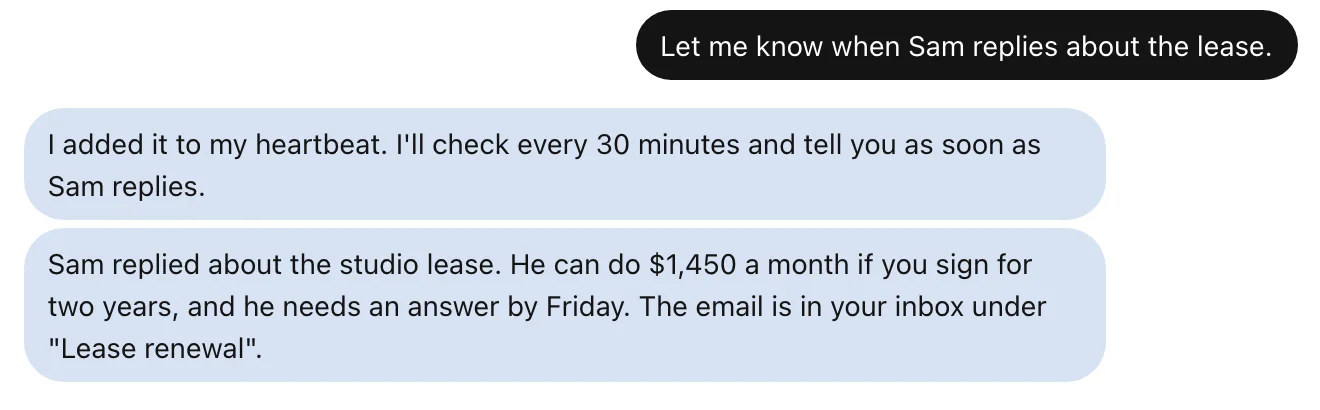
- Has Sam replied about the studio lease?
- Is the clay delivery still on for Friday?
- Has the kiln element dropped below $300?
- Did anything on my calendar change today?
It looks each line up in its memory and notes, its files, its connectors (your email, calendar, or Notion), and the web. It doesn’t read your chat. Most heartbeats end quietly. When something needs you, the bot writes one short message in its chat, with what you need to act on it, and a notification reaches your app, your browser, and your phone.
You can write the checklist yourself, or just say “let me know when Sam replies” in the chat. The bot adds the line and takes it off once it’s settled. A heartbeat only looks: it can’t run commands, change anything through a connector, or ask you questions. It sends at most one message per heartbeat and eight a day. While the checklist is empty, the heartbeat doesn’t run and costs nothing.
The heartbeat replaced the primary bot’s check-ins from earlier in the month. Heartbeat covers the settings.
A computer your bots share
Some jobs only exist behind a web page with no API: a supplier’s order form, a booking site, an old admin panel. Your bots now have a computer for those. It’s a Linux desktop with a browser and a terminal, made with Cua in Docker on the daemon computer, and kept apart from yours.
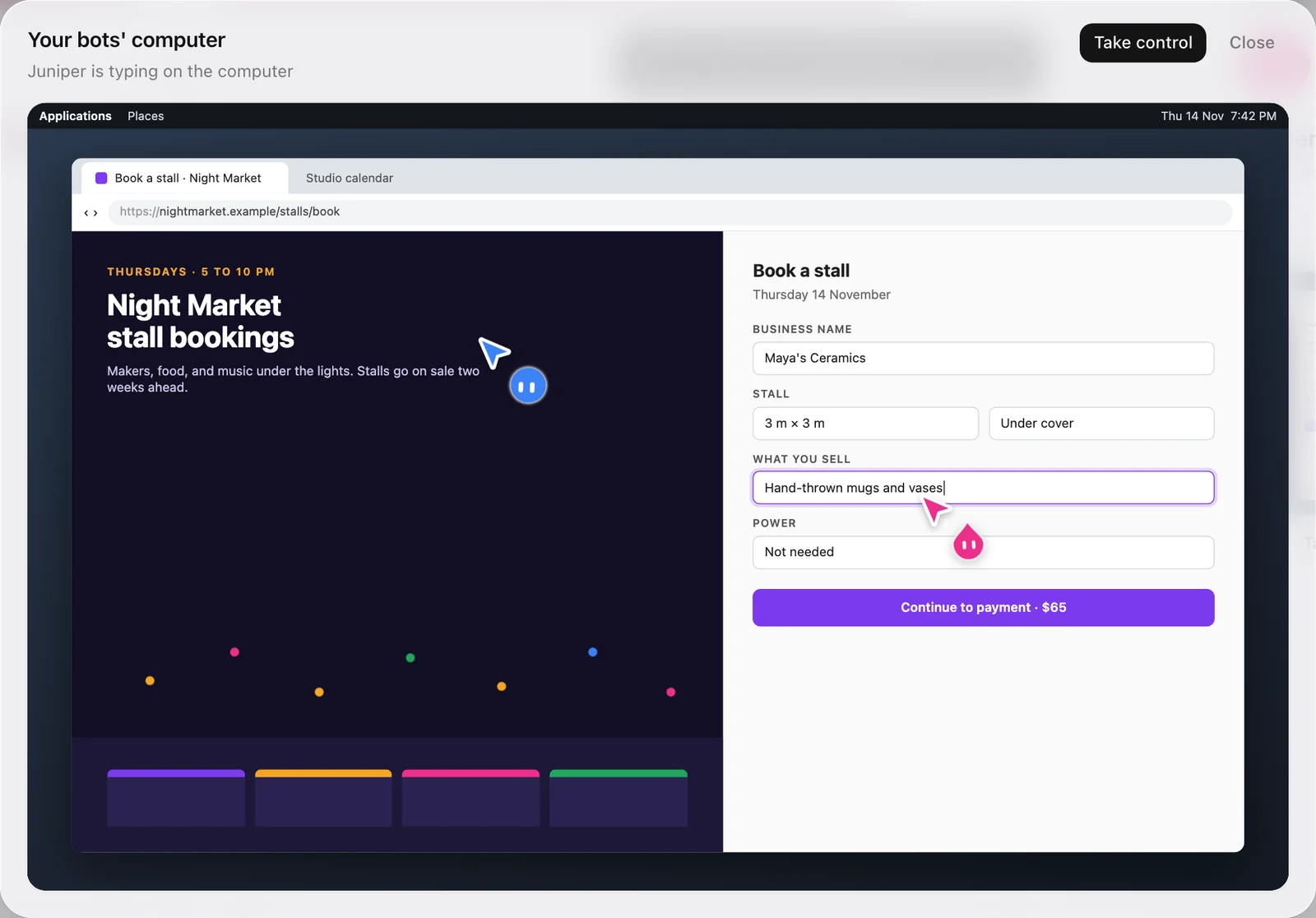
Open the Computer tab beside a chat, or tap the computer button on your phone, and watch it live. Each bot working on it has a cursor wearing its own face, and the line under the screen says who is doing what. Bots take turns, one action at a time. If something goes wrong, choose Take control: the screen opens large, takes your clicks and keys, and the bots wait until you choose Give back.
The screen streams over Hex Connect too. Auto quality stays as sharp and smooth as your connection allows and never drops below 720p at 30 fps. See Your bots’ computer to install it.
Charts in the chat
When Maya asks Ledger how September went, a table says more than a paragraph. Bots can now show a visual: a chart, table, diagram, or mockup, drawn as a small web page above the reply. It stays live, so you can hover over a bar or switch a tab, and Expand opens it beside the chat in a tab of its own. It follows your light or dark theme and runs sandboxed, with no network access beyond a few script libraries.
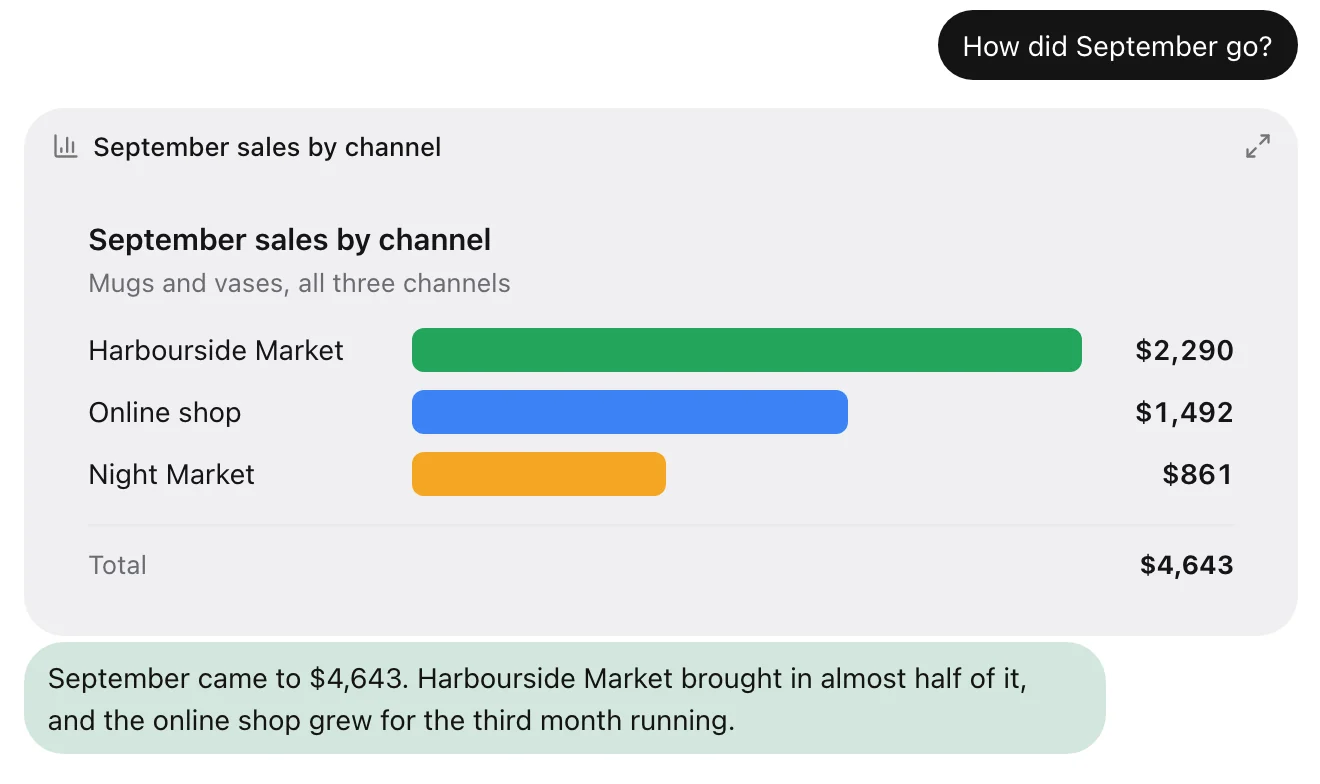
Visuals show in a bot’s chat on the desktop app, in the browser, and on the phone. In rooms, bots describe things in words instead. Visuals explains how to ask for one.
Faces that feel the work
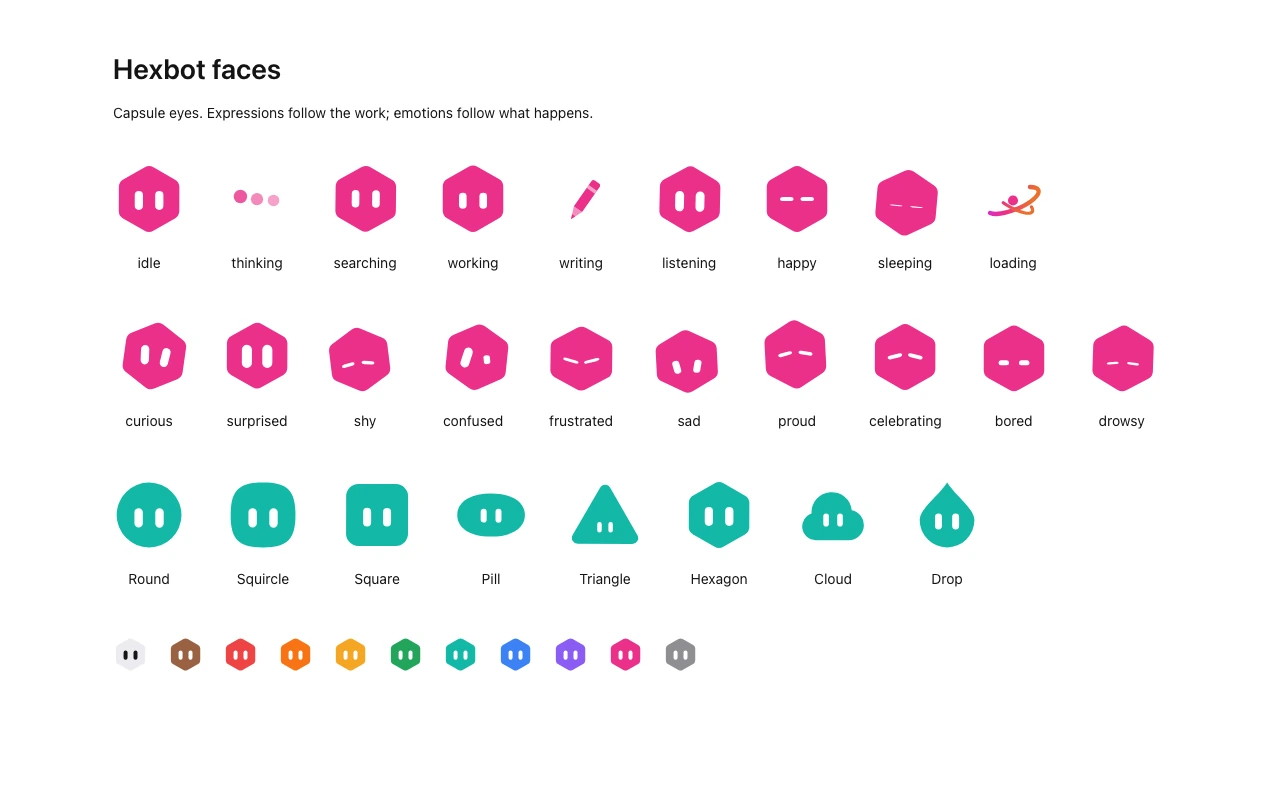
Bot faces now move with what the bot does. A face folds into three bobbing dots while it thinks, becomes a pencil while it writes, peers around while it searches, and narrows its eyes while it works. Two bots asking each other for help turn to face each other.
They react, too. A bot looks shy when you thank it, surprised when something is urgent, confused when a step fails, frustrated after several, proud after a long job, and it celebrates passing tests, merges, and deploys. Left alone in an open chat, it gets bored, then drowsy. Hexbot reads all of this from the conversation without asking the model, so it costs nothing.
Turn on Sounds in Settings, Appearance to hear a bot start, finish, or need you. Sounds are off by default.
Plugins, for the bots you choose
Everything a bot can use beyond its own tools now lives on one page: Settings, Plugins, with a tab each for connectors such as web search and Notion, MCP servers, and skills. Set a plugin up once, then choose which bots get it. Computer use isn’t a plugin: every bot has it, and it sits in Settings, Manuals.
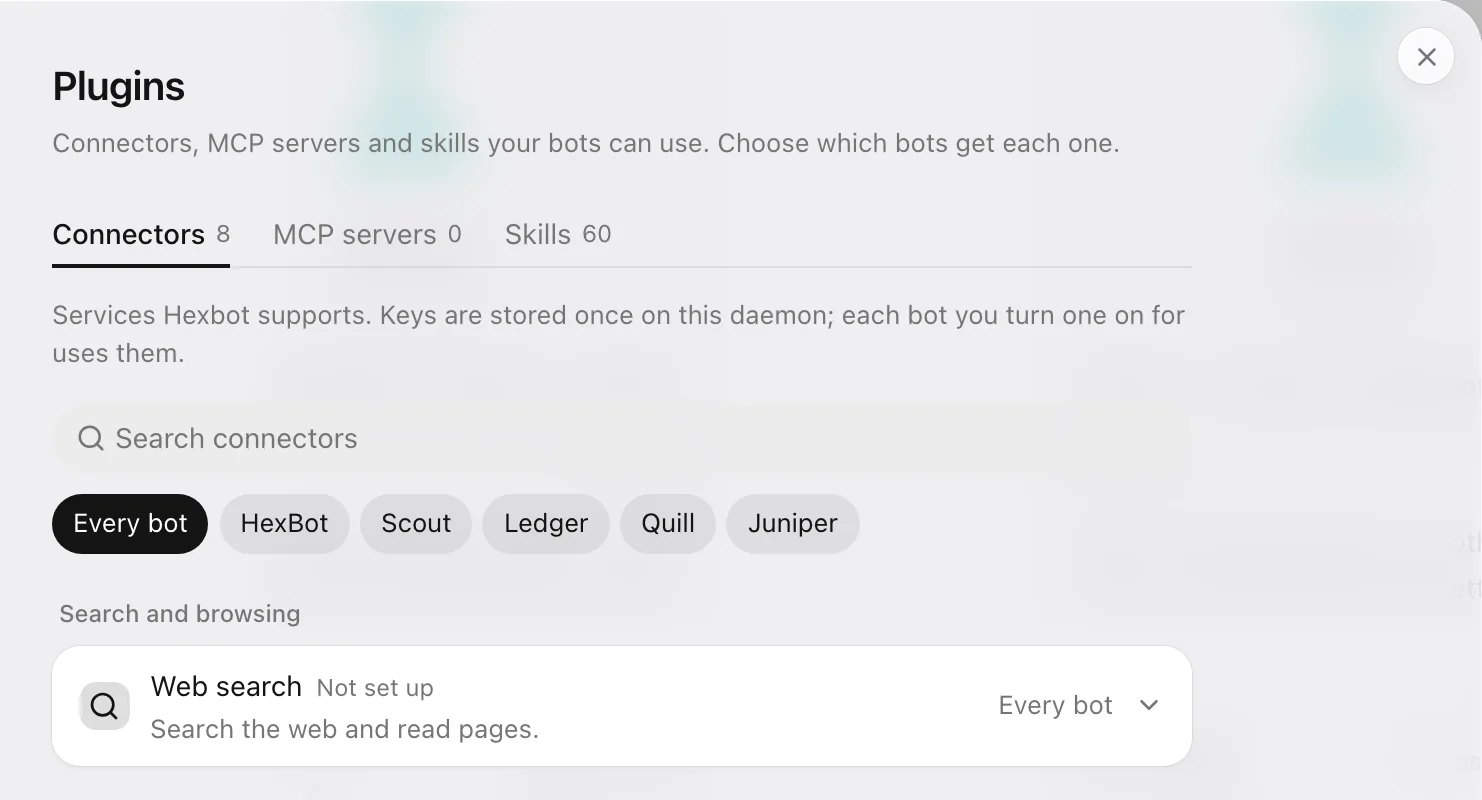
A plugin package installs an MCP server together with the skills that explain how to use it. And when a bot needs a service it can’t reach, it can find a server for it and ask to install it. You see exactly what it runs, every value it passes, and the skills it adds. Installing always asks, even in Bypass, and a plugin a bot installs is on for that bot only. See Plugins.
Passwords your bots never see
When a bot needs to sign in to a website, it shows a Sign in card in its chat. What you type goes straight to the daemon and is saved in Settings, Passwords. Hexbot types it into the page on the bots’ computer, and the bot never reads it. Passwords live in one KeePass file per person, so KeePassXC can open it. See Passwords.
One chat per bot, and Recall
A bot is now like a contact in a messaging app: you have one chat with it, and it never ends. When the chat outgrows the model’s context, Hexbot summarises older messages and keeps going. What lasts goes into memory, and the bot can still search older history for an exact detail.

If you send something you regret, Recall it while the bot is still working on it. Hover over your latest message (or long-press on the phone) and the bot stops, forgets it, and hands the text back to edit. The rest of the chat stays as it was, so the next reply still uses the provider’s prompt cache. Anything the bot already did stays done.
Memory that ages well
Bots now keep daily notes: a short line, at a natural pause, about what happened. The nightly dream reads them and folds what lasts into memory. Each memory entry carries the month it was learned, such as [2026-10], so a dream can tell an old fact from a current one. Dreams also read the summaries of long chats, so a bot isn’t judged by its last few messages alone. See Memory and Dreaming.
Auto mode asks less
Auto, the default approval mode, now runs routine steps outside the workspace, such as downloading a public page, and asks only about risky or unreviewable ones, such as deleting files elsewhere or force pushing. Inside the workspace, commands still run in an OS sandbox with no network. The review is the bot’s model’s judgment, not a sandbox, and Approvals says exactly where the line is.
Hexbot on your phone
The iPhone and Android app now works like a messaging app. One list holds every chat and room, newest first, with HexBot pinned at the top. Settings sit behind your initials, new bots and rooms behind +, and profiles, jobs, and rooms behind the grid next to Search. From the phone you can answer questions, approve steps, edit a heartbeat, recall a message, and watch the computer.
The iPhone app is in beta on TestFlight. There is no Play Store release yet, so for now you build the Android app from source. See Mobile app.
One installer, three ways
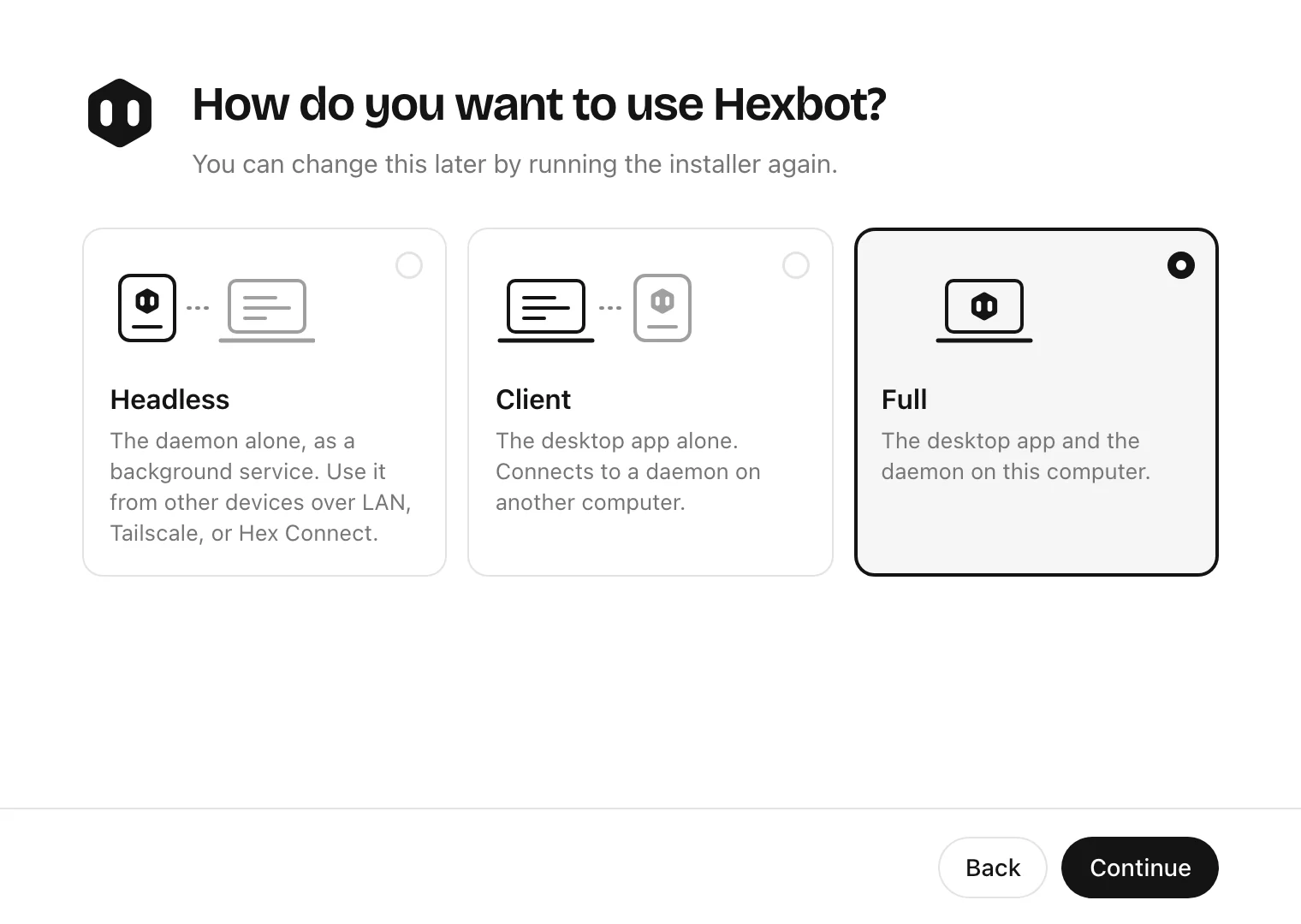
The new installer handles every kind of install, from a window or from one line in a terminal:
curl -fsSL https://hexbot.app/install.sh | sh
Choose Full on the computer your bots live on, Client on your other computers, or Headless for a server with no app. It downloads only what you pick. Run it again to update, repair, change options, or uninstall. Your ~/.hexbot stays unless you ask to delete it. See Install.
Smaller things worth knowing
- Reasoning levels. Each bot has its own Reasoning setting, from Off to Max, for how hard it thinks. The list shows only the levels its model supports.
- Diagnostics. Settings, Advanced, Diagnostics shows launch time, CPU and memory over the last hour, a waterfall for every run, recent failures, and prompt cache hit rates. Copy report saves it for a bug report.
hexbot diagnosticsprints the same from a terminal. See Diagnostics. - Bots keep working with the window closed. Replies and heartbeats still arrive as notifications until you choose Quit.
- Signed updates. Native daemon and installer updates install only if Hexbot’s release key signed them.
- Faster over Hex Connect. Switching bots is instant even while they work, and browsers download a web app about 70% smaller.
- Apache-2.0. Every part of Hexbot, Hex Connect included, is now under the Apache License 2.0.
Under the hood
The biggest change is the one you shouldn’t notice. The daemon is now written in Rust, and each conversation runs as a persistent agent session on Pi. Your bots, rooms, memory, and history stayed in the same ~/.hexbot, and existing background services moved over through their usual update.
Hexbot is still an alpha, and still nightly only. Back up ~/.hexbot now and then, include the version from Settings, About when you report a bug, and download the newest nightly if you haven’t yet.